AllTrails: Creating a cohesive (and unofficial) design system for AllTrails.
Role
UX Designer
Team
3 UX Designers
Timeline
January - May 2025
Skills
Design System
Accessibility Design
Documentation
Project Management
Tools
Figma
Zeroheight
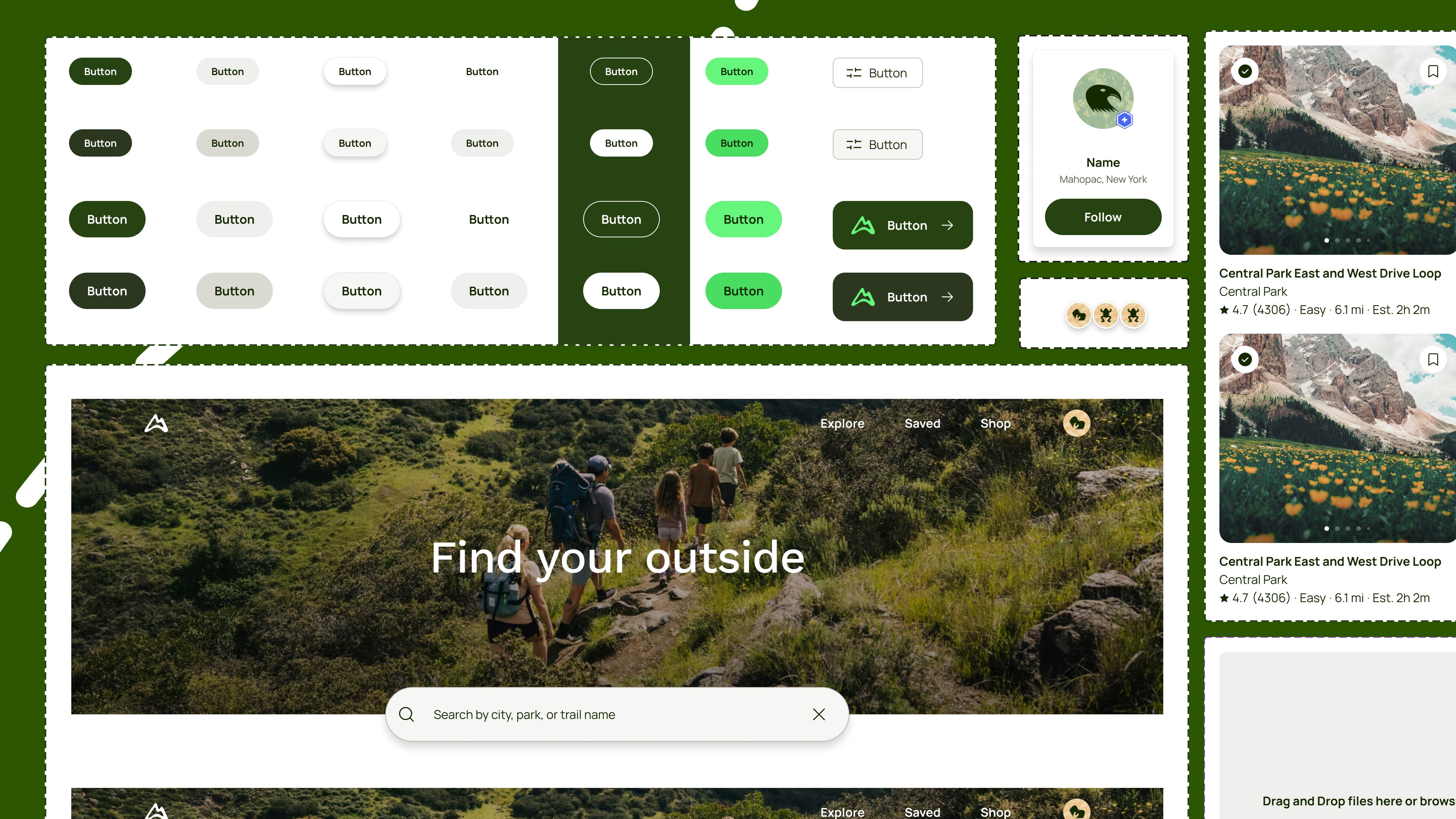
AllTrails is a very well-designed website that connects people to the outdoors. It has emerged as one of the leading platforms for trail discovery and navigation.
Despite its popularity, the platform has inconsistencies in design and lack of accessibility. Throughout the semester, our team was tasked with addressing these challenges by creating a cohesive design system and documentation that standardizes the experience across the platform and ensuring WCAG AAA compliance, while maintaining AllTrail’s “outdoorsy” brand.
TL;DR
124 components
700 variants
WCAG AAA compliant
140+ Figma users
Problem
The problem: AllTrails' inconsistent experience
AllTrails has built a strong and recognizable "outdoorsy" visual identity, but the experience across different parts of the platform told a different story. As we explored the site, we noticed the same component appearing in multiple variations with no clear reason why.
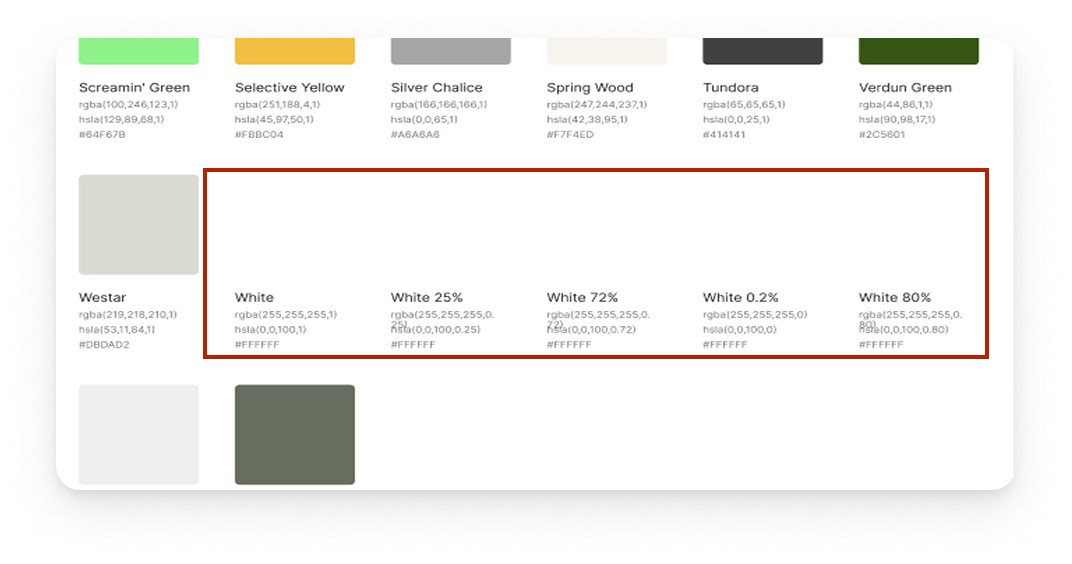
Inconsistent Color Usage
Too many colors with no clear guidance on why and when to use
Different Variations of the Same Component
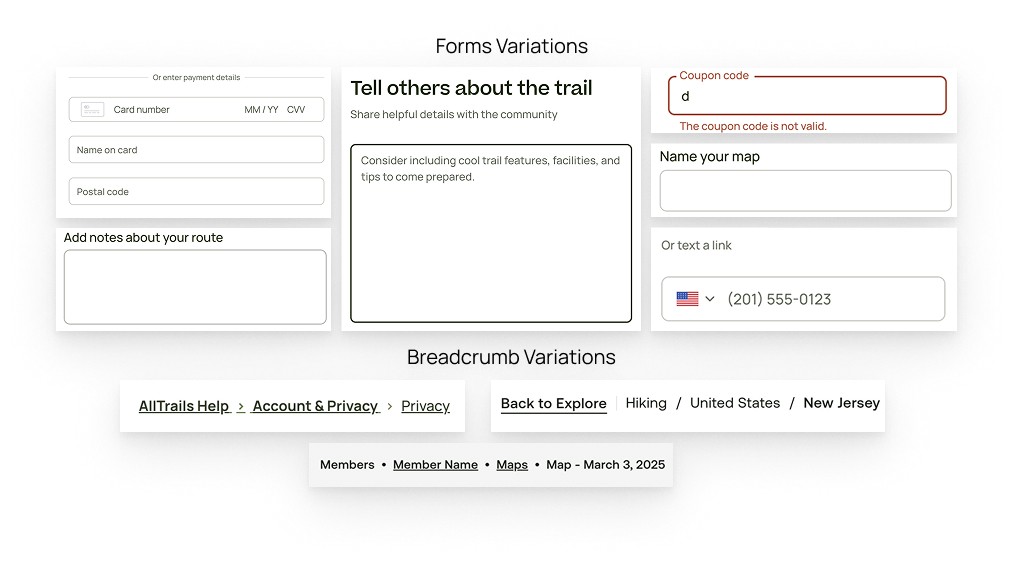
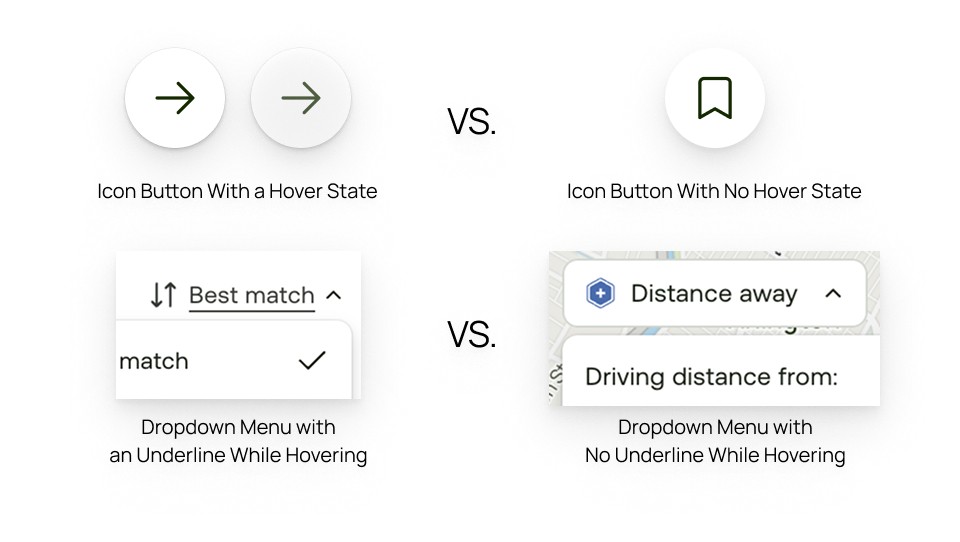
Inconsistent Interactions
Lack of consistency in interactions across components, that causes confusion and an unreliable experience
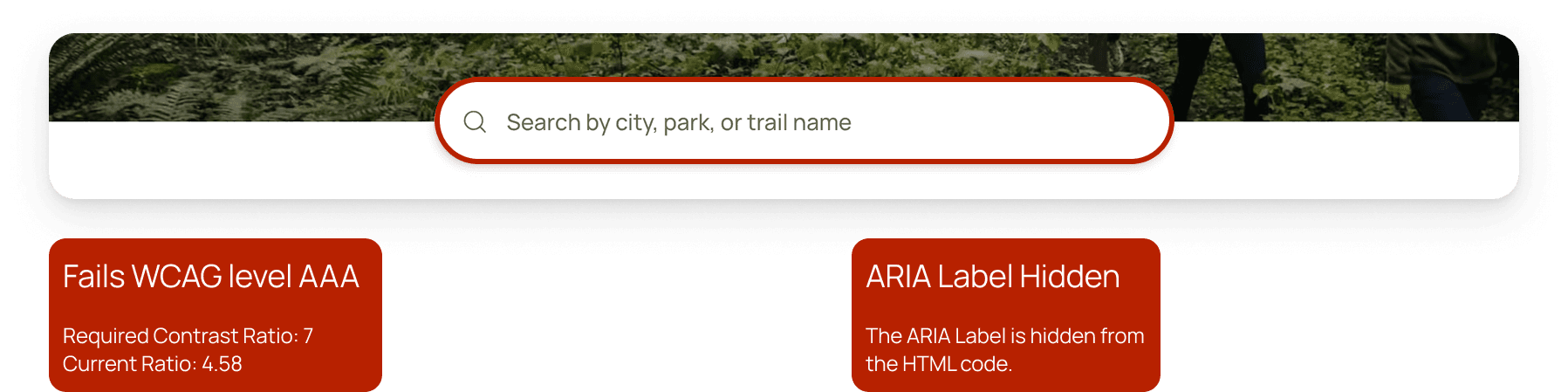
Accessibility Concerns
Lack of Web Content Accessibility Guidelines compliance for color and typography
Challenge
Maintaining authenticity while creating consistency
Despite its strengths, the numerous color variations, component variations, inconsistent interactions, and lack of accessibility provide a disjointed experience for users. Color combinations do not meet Web Content Accessibility Guidelines, which could create barriers for some outdoor enthusiasts.
Solution
Introducing Trailblazer Design System
A Unified, Accessible, Scalable “Trailblazer” System
By creating the Trailblazer Design System, we aim to create a unified and accessible design language that enhances the user’s experience across AllTrails. This standardization ensures the AllTrails experience remains as clear and “well-marked” as the trails it helps users discover. In addition, Trailblazer allows designers and engineers to focus on creating and collaborating on naturally beautiful experiences effortlessly.
Process
Deconstruct -> Create -> Document
Our approach followed three phases: Deconstruct the existing UI to understand what we had, Create a unified system following atomic design principles, and Document everything for long-term adoption.
Process
Deconstruct
Breaking down AllTrails into pieces
We started by thoroughly exploring the AllTrails website, then systematically documenting every component and style we encountered.
Cataloging the inconsistencies
Inspired by Brad Frost's Atomic Design methodology, we began documenting the "bits and pieces" that made up AllTrails' UI - headers, cards, icons, buttons, carousels, and every style variation we found. As we dug deeper, we realized our scope was too ambitious. AllTrails had dozens of pages, each with slightly different design patterns.
Narrowing our focus We decided to focus on the core flows that every outdoor enthusiast experiences: searching for trails, viewing trail details, reading reviews, and managing their account. We intentionally excluded AllTrails+ premium features to first establish a solid foundation for the free experience that all users encounter.
After documenting every page in our scope, we grouped components and styles by functionality. We identified color variants, text styles, and layout patterns, which resulted in a comprehensive interface inventory that revealed just how inconsistent the platform had become.

Process
Create
Creating the atoms, molecules, and organisms
We began with a comprehensive audit and analysis of the existing AllTrails UI. This involved cataloging every interface element, documenting inconsistencies, and identifying patterns and opportunities for improvement.
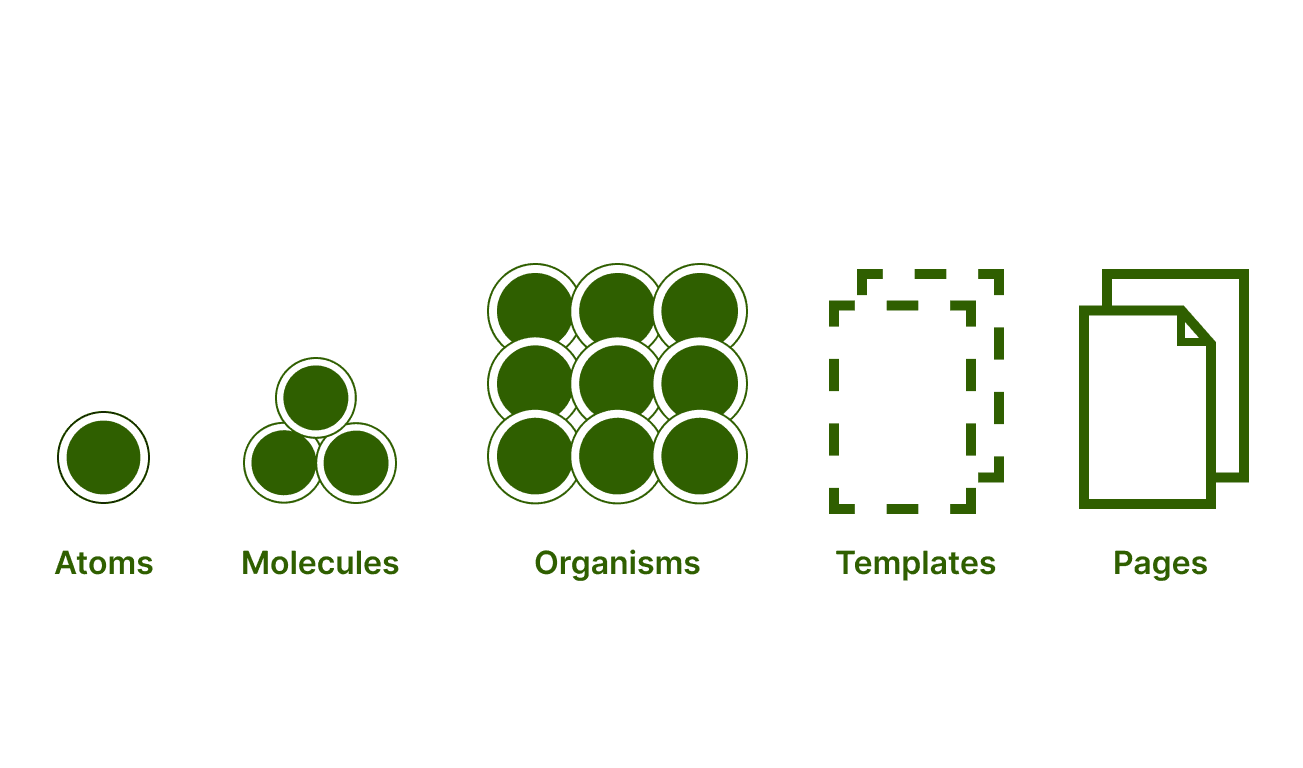
For this case study, we will solely focus on the creation of Atoms, Molecules, and Organisms.
Process
Creating the Atoms: Design Principles
Establishing guiding principles inspired by nature
Before redesigning any components, we needed to establish what Trailblazer should stand for. We selected four guiding design principles, keeping nature and AllTrails' values in mind.
Process
Creating the Atoms: Color & Typography
Defining the visual language: colors, typography & spacing.
Building a color system that works for everyone
The problem AllTrails used too many similar greens and blues with no clear guidance on when to use each one. More critically, many color combinations failed to meet accessibility standards, creating barriers for outdoor enthusiasts with visual impairments.
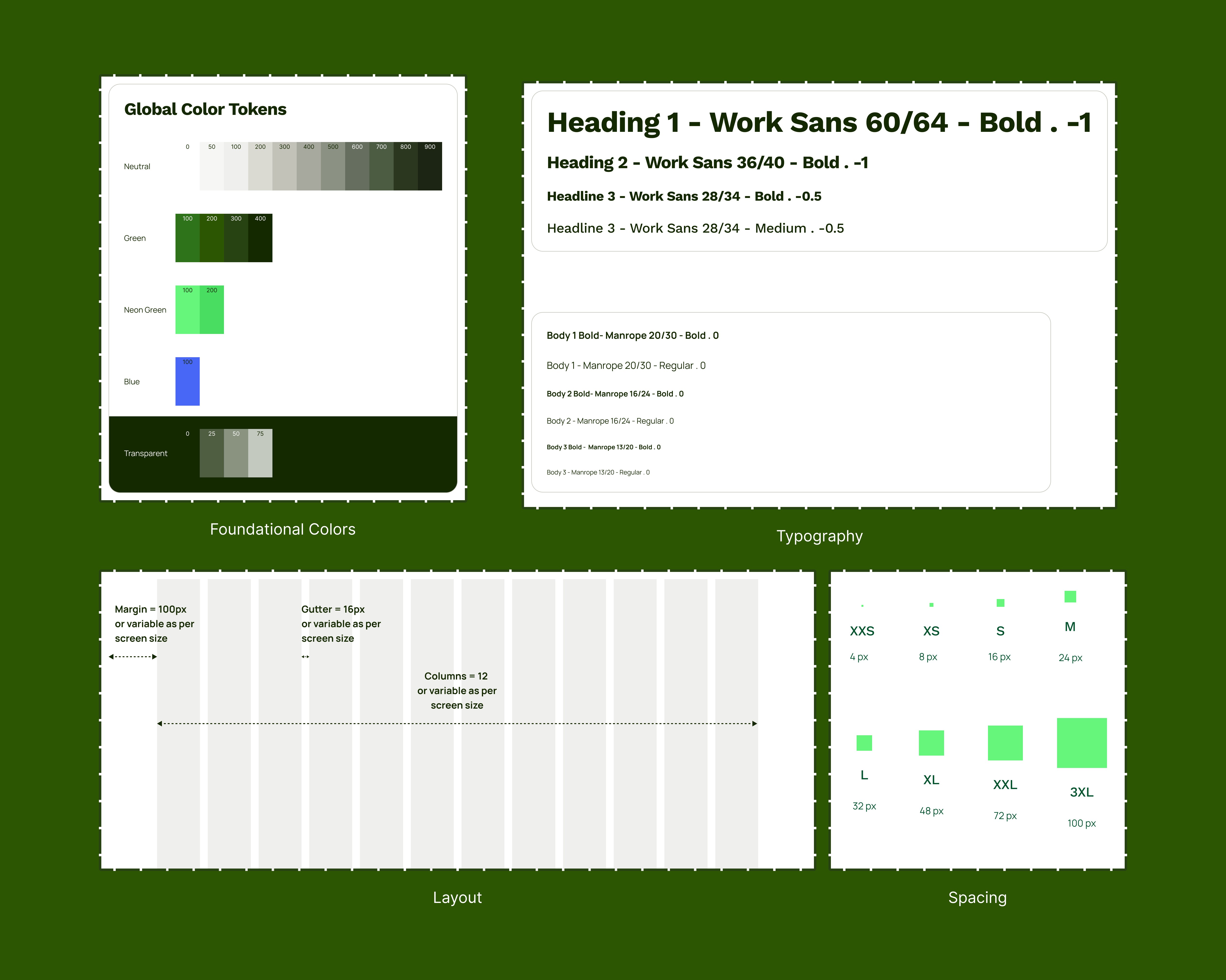
We created an 18-color nature-inspired system, consolidating similar shades and prioritizing colors that meet WCAG 2.2 AAA contrast ratios when paired together. By reducing the number of color options, we made it easier for designers to choose confidently while ensuring every outdoor enthusiast could read trail information clearly.
Replacing a custom font to improve accessibility
The problem AllTrails used Beatrice, a custom header font that looked friendly but created implementation challenges and had limited accessibility features.
We replaced Beatrice with Work Sans, an open-source alternative that maintained AllTrails' approachable aesthetic while improving accessibility and making implementation more consistent across devices. We also increased the minimum typography size to 13pts and established a clear type scale with defined uses for each size. This improved readability whether someone was planning their hike on a desktop or checking trail conditions on their phone mid-adventure.
Creating a layout system for consistency
We established a 12-column grid with 100px margins, 16px gutters, 16px border radius, and a 4px base spacing unit. This layout system ensures visual balance and makes it easier for designers to create consistent experiences across AllTrails, whether someone is browsing trail photos or reading reviews from other hikers.
Process
Creating the Molecules: Buttons, Forms, & Tabs
Consolidating components to reduce confusion
With our foundational styles in place, we moved on to building the UI components. During our interface inventory, we discovered that AllTrails had multiple variations of the same component with no clear reasoning behind them. A single button might appear in five different styles across the site, creating confusion for both users and the design team.
Our goal became consolidation: reducing unnecessary variations while maintaining flexibility for different use cases. We used Figma variables to nest all component variations and states together, making it easier for designers to choose the right component for each context.
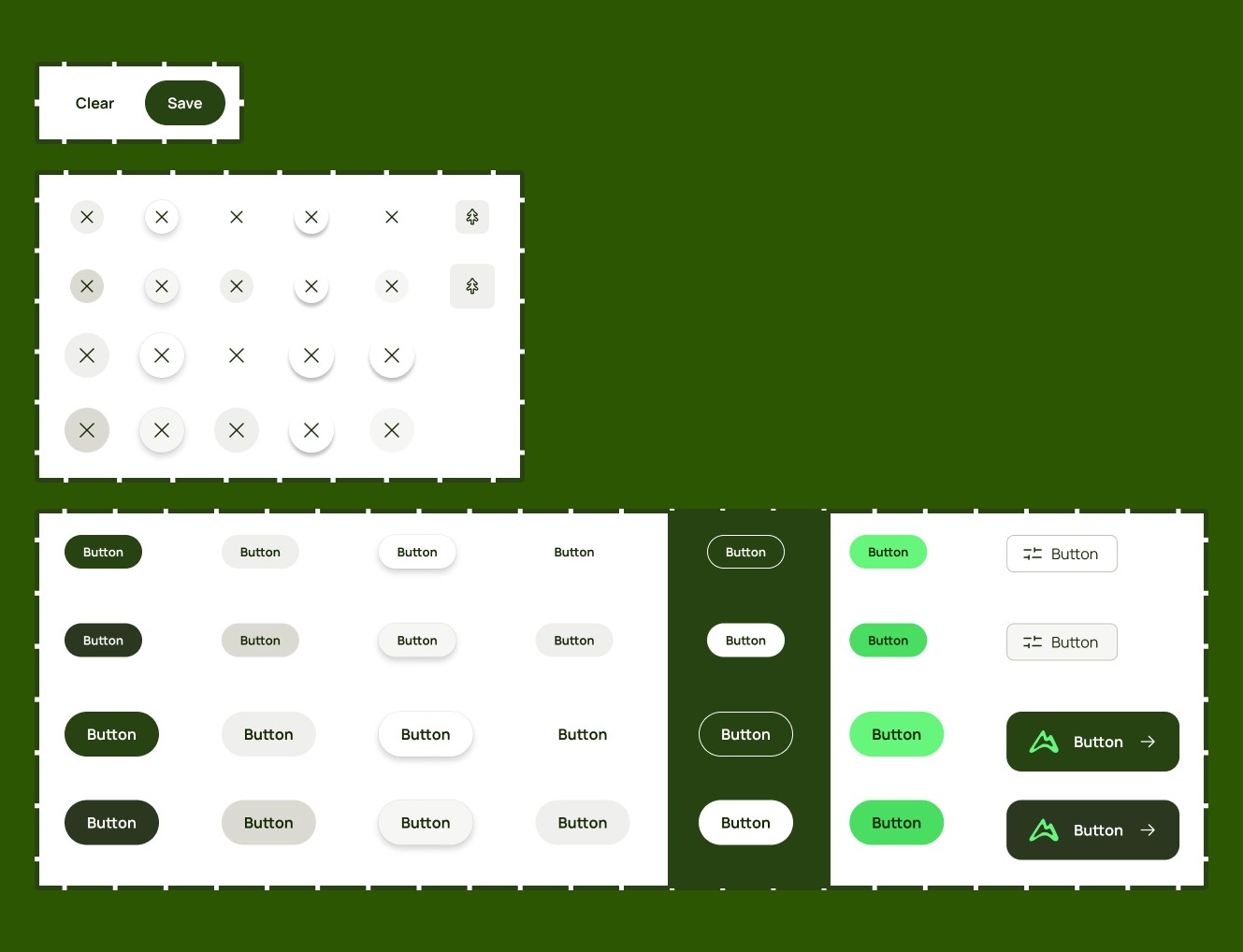
Making buttons clearer and more accessible
The problem AllTrails had inconsistent button styles scattered across the site, with no clear hierarchy between primary and secondary actions.
We standardized buttons into two sizes (small and large) and two types (text and icon), each available in primary, secondary, and transparent styles. We introduced 16px minimum padding for easier clickability, increased text button font size to 13pts for readability, and ensured all buttons meet WCAG Level AAA contrast ratios so outdoor enthusiasts with visual impairments could navigate confidently.
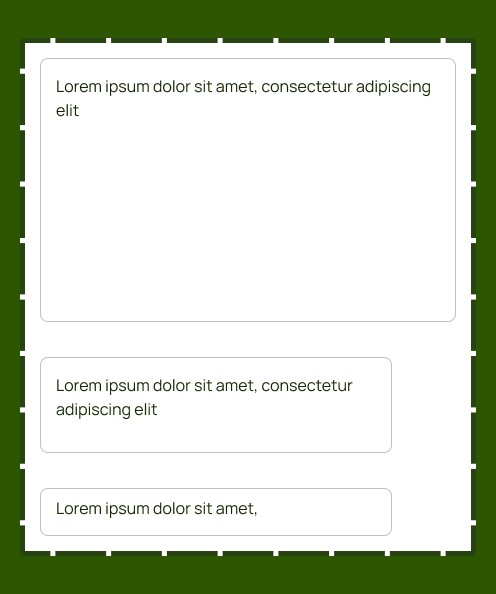
One text input for any use case
The problem AllTrails had unique form variations for every input type - one style for reviews, another for phone numbers, another for credit cards. This created visual inconsistency and unnecessary work for designers.
We consolidated these into three universal text input sizes (small, medium, large) that work for any text entry. By increasing the minimum font size to 16pts and establishing 16px spacing between labels and inputs, we improved readability while giving designers a flexible system they could reuse across contexts.
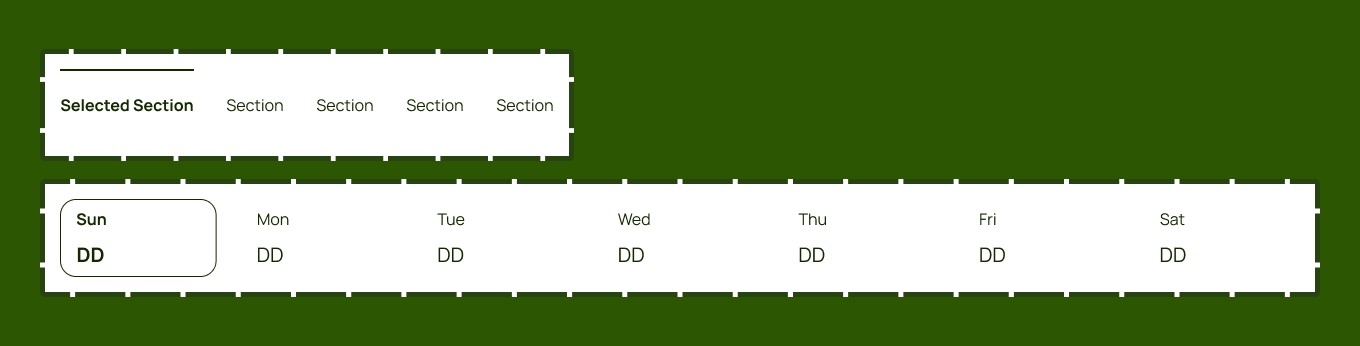
Simplifying navigation with two tab styles
The problem We found seven different tab styles across AllTrails, each serving the same navigation purpose but looking completely different.
We consolidated these into two variants based on their actual function: section tabs for content navigation (like switching between "Photos" and "Reviews") and date tabs for temporal filtering (like selecting a hiking date). We set a 16pt minimum font size so outdoor enthusiasts could read tabs easily on mobile devices while planning their adventures.
Process
Creating the Organisms: Nav Bar & Hero Section
Building complex components from simple parts
Once we refined our molecules, we combined smaller components, like buttons, icons, and menus, to build more complex interface elements like navigation bars and hero sections. These organisms maintain structural and brand consistency while offering customization options that adapt to different contexts.
Two navigation systems for different needs
We created a global navigation bar for site-wide orientation (helping users navigate between trails, saved lists, and account settings) and a map page navigation bar for location-specific features (like zooming, filtering, and viewing trail details). Both maintain AllTrails' brand presence while serving distinct user needs.

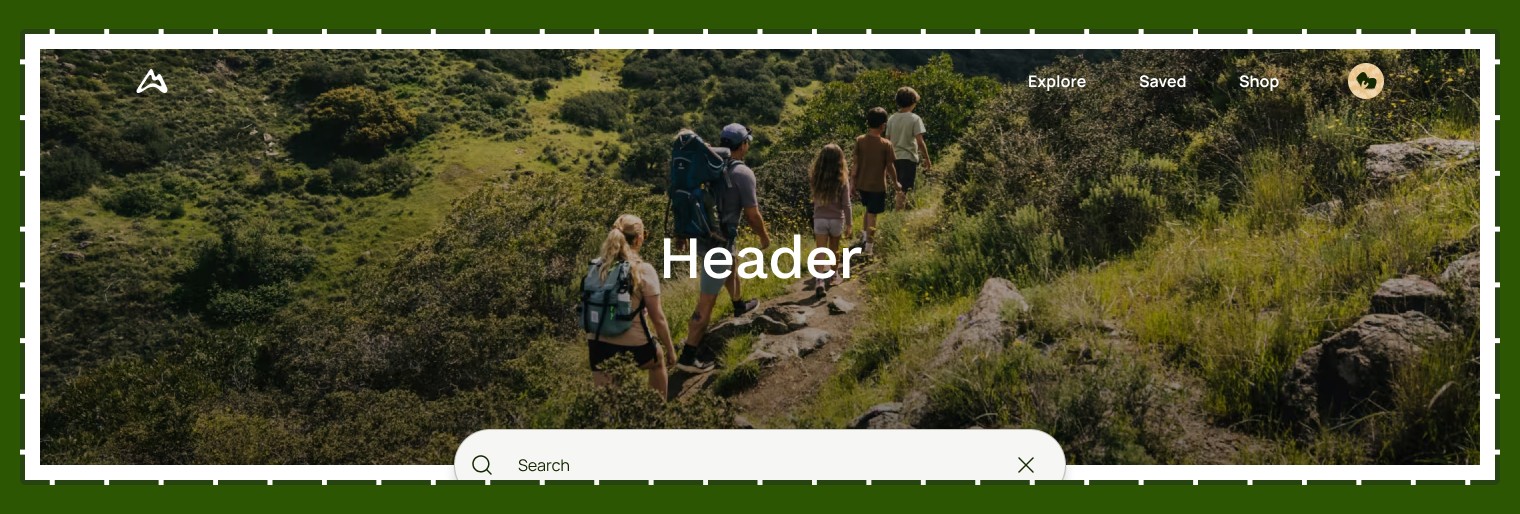
Hero sections that welcome users into each area
The hero section combines the navigation bar, imagery, text, and search functionality to create a visual entry point. This gives outdoor enthusiasts immediate context about where they are on the site while helping them quickly search for their next adventure.
Process
Usability Testing
Testing with the people who'll actually use it
Although we created Trailblazer, we needed to remember that we weren't the primary users of this design system - the designers and developers at AllTrails were. Following user-centered design principles, we needed to evaluate whether our system would actually provide them with a seamless and intuitive experience.
Watching designers build with our system
Since designers would be the primary users of our Figma UI Kit, we tested with two of them. We asked each designer to recreate the AllTrails homepage using only the components in our kit.
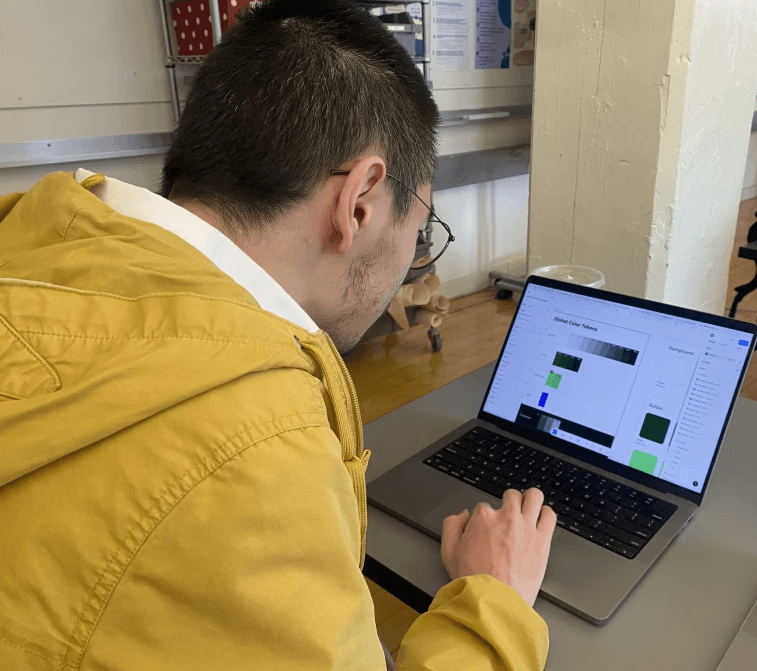
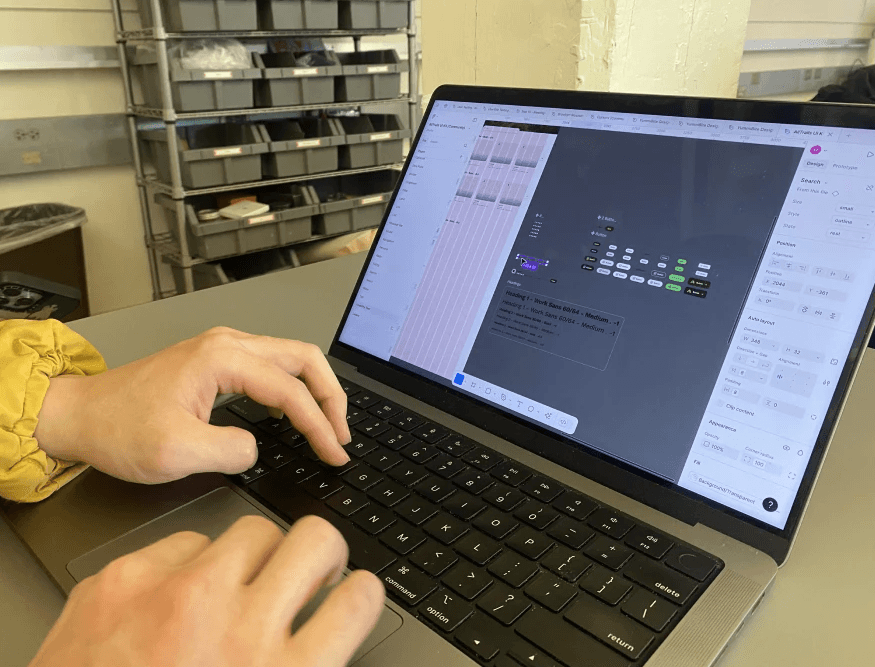
User testing session with Designer
What we learned
Both designers found Trailblazer comprehensive, intuitive, and accessible. They completed the task successfully and appreciated the consistency across components. However, they pointed out confusion with boolean naming on certain components and requested additional documentation for edge cases.
What we changed
We addressed the boolean naming issues by making labels more clear and concise (for example, changing "isActive" to "Active state"). We also expanded our Zeroheight documentation to cover the edge cases designers asked about.
Process
Document
Creating documentation that designers and developers can actually use
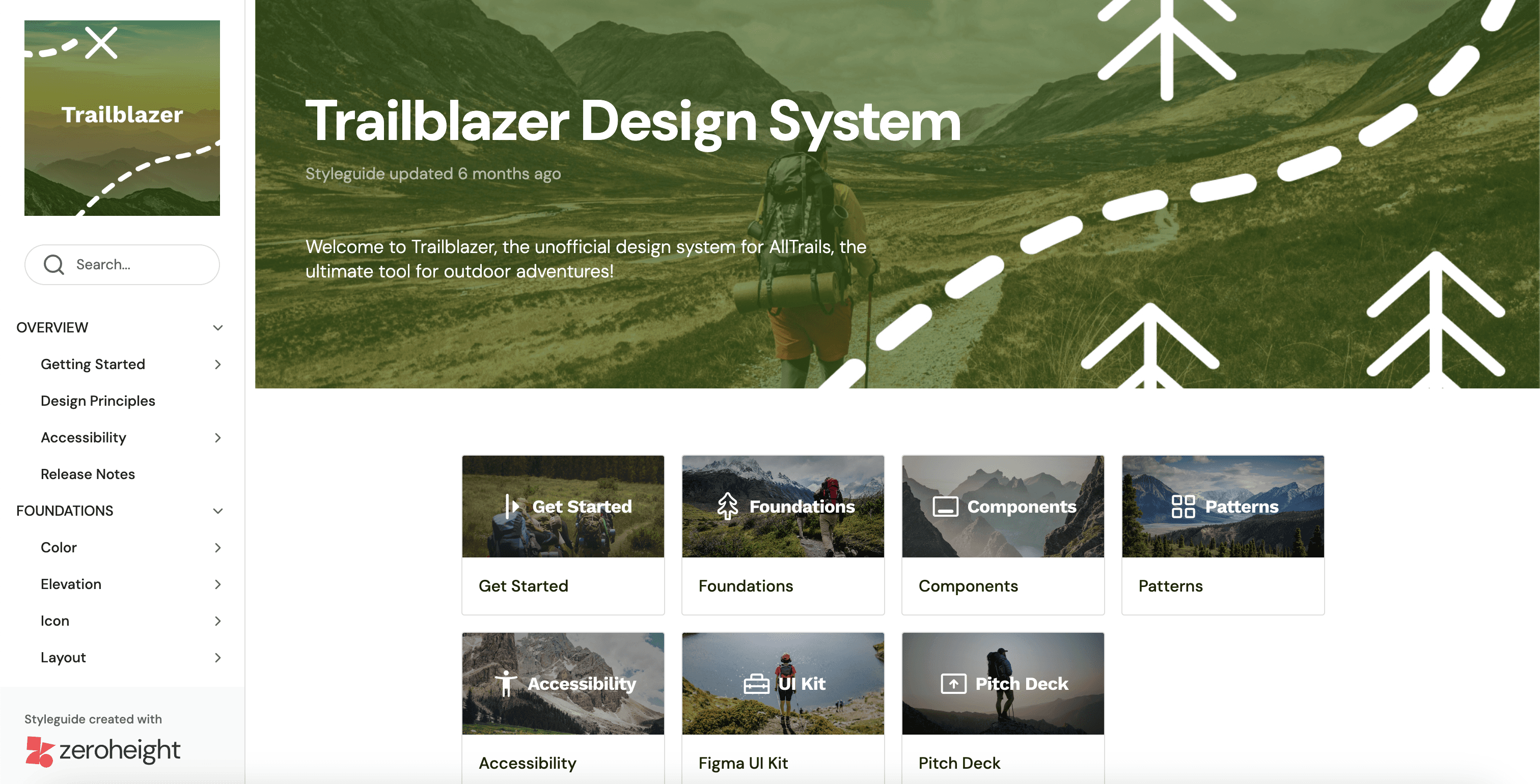
A design system isn't just a UI Kit, it's the documentation, resources, and guidelines that help teams implement it correctly. We hosted our documentation on Zeroheight because it syncs directly with Figma, ensuring designers always see the most current components.
Making it easy to contribute and improve
We built our documentation site to serve both designers and developers. It includes our design principles, component usage guidelines, accessibility standards, typography download files, and communication channels for the team.
One of the most important features is our contribution form, where anyone can:
Report bugs they encounter
Suggest improvements to existing components
Request new components or features
Recommend accessibility enhancements
Submit documentation updates
This ensures Trailblazer can evolve based on real team needs rather than our assumptions.
Helping designers use components correctly
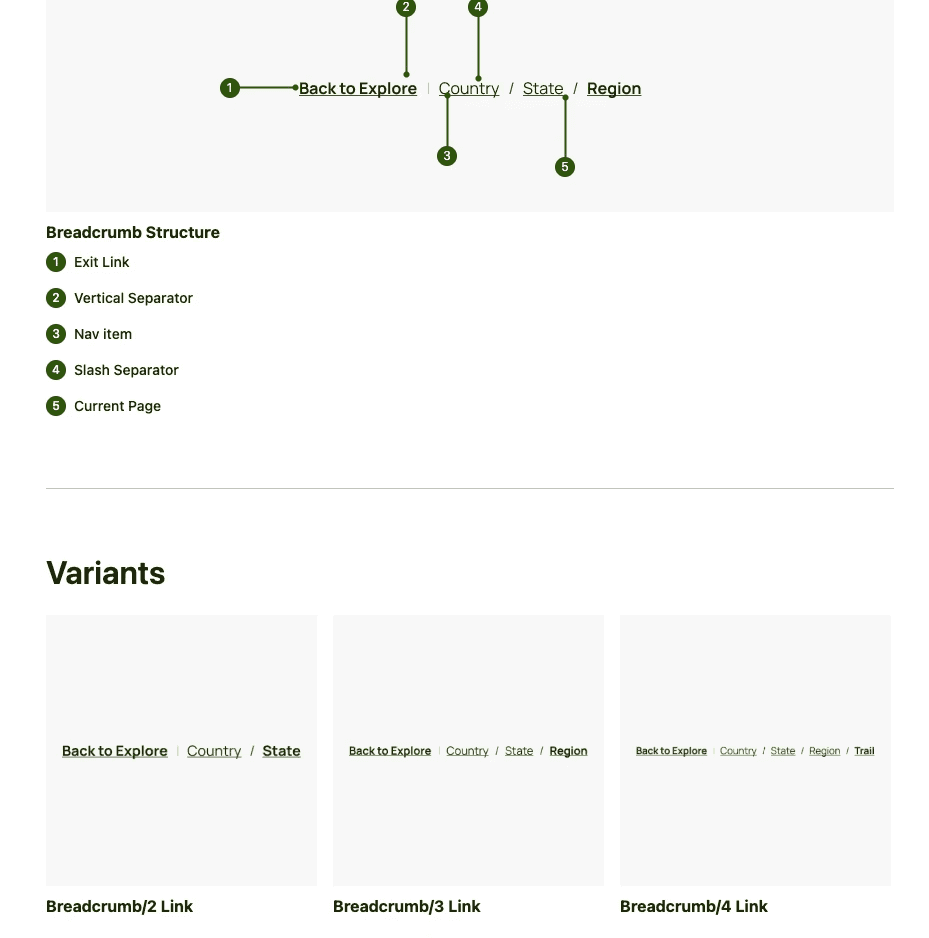
For each component, we included an annotated anatomy showing how it's built, all available variants, usage guidelines, and accessibility information. We also documented customization options and scalability guidelines, ensuring components can adapt to different use cases while maintaining their core functionality.
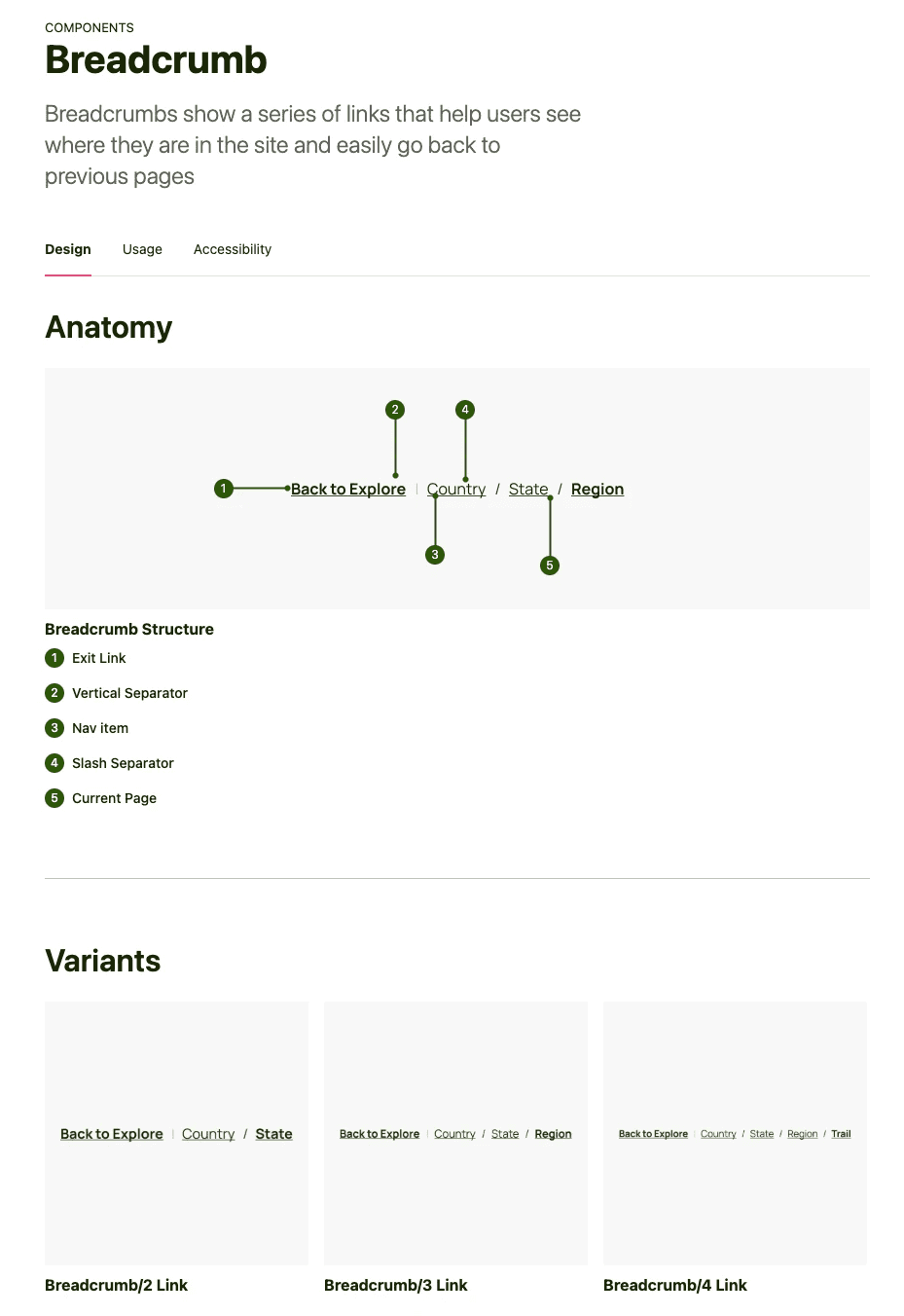
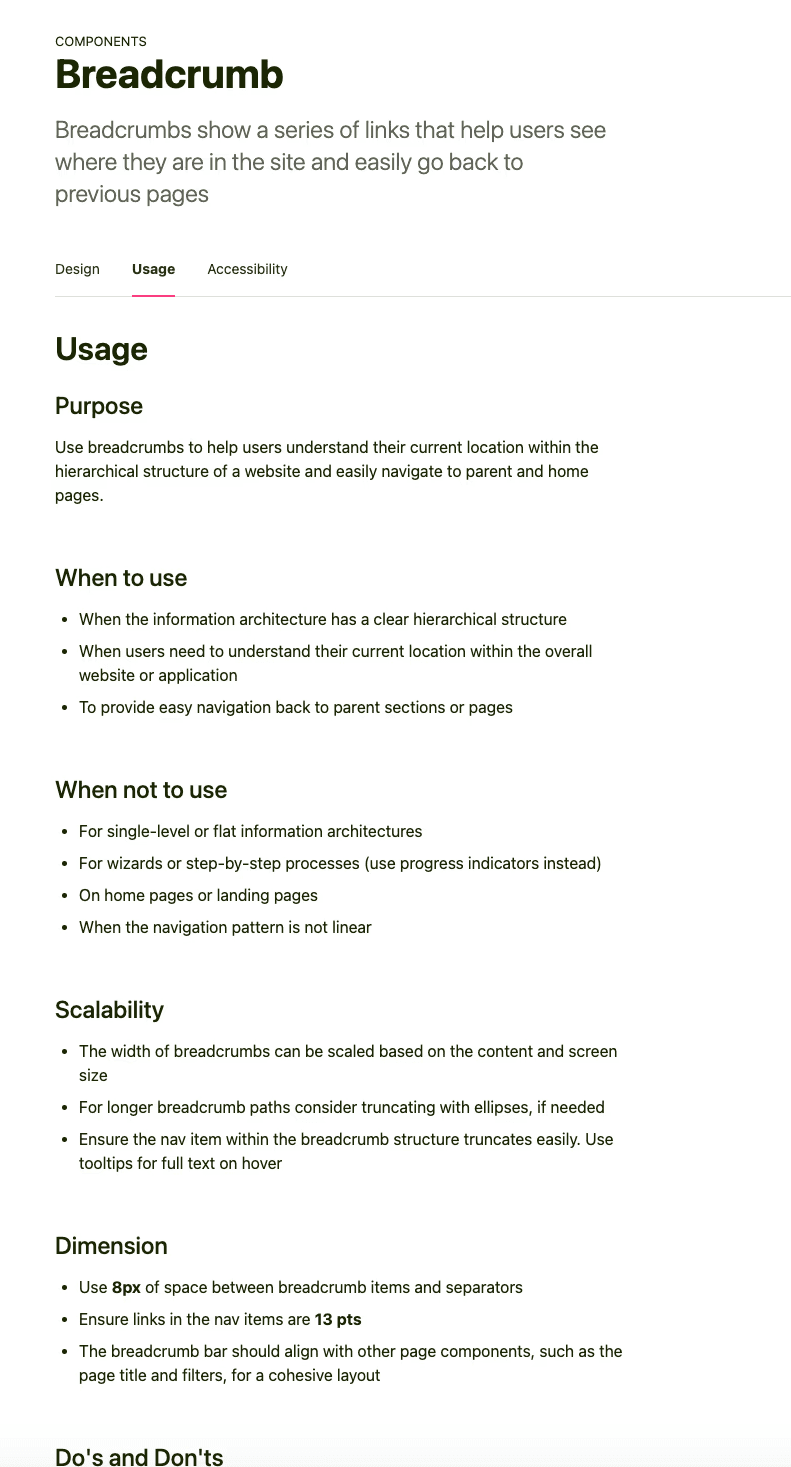
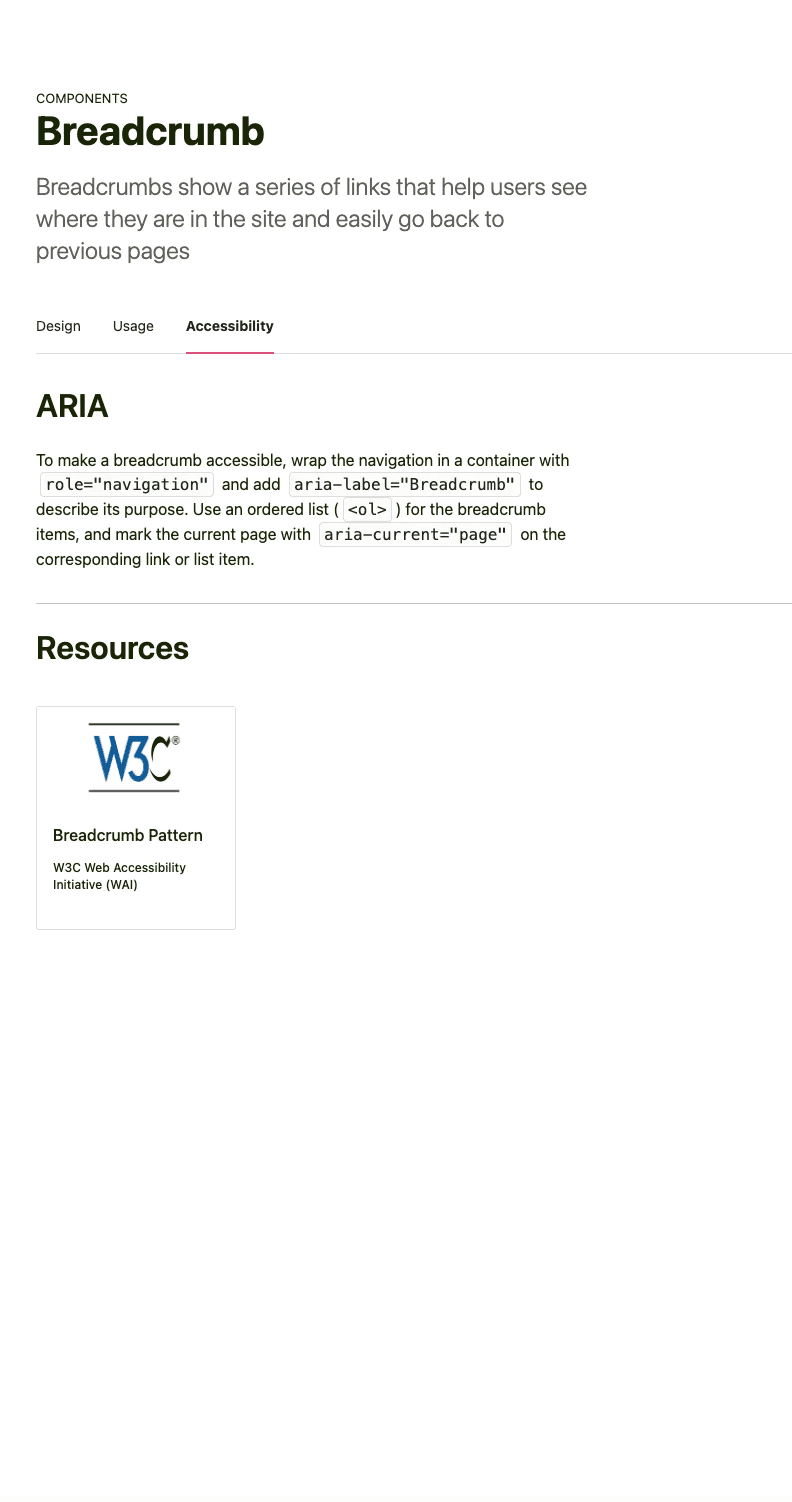
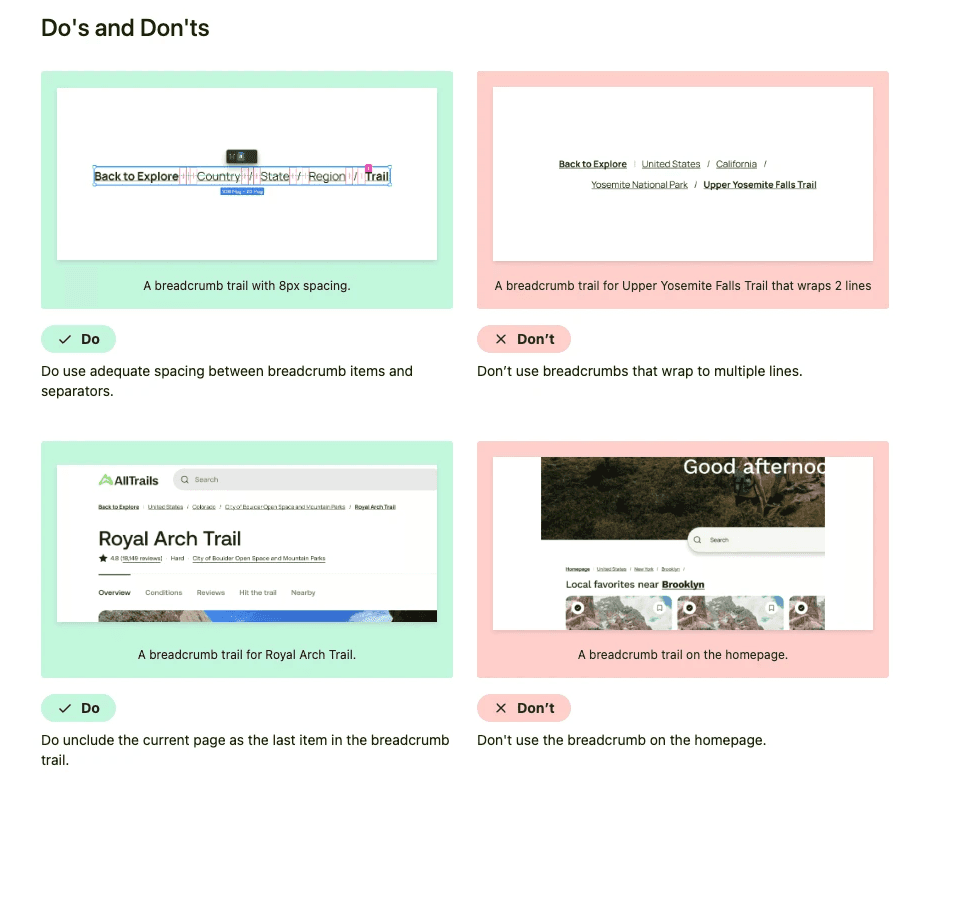
We provided "do's and don't's" for every component so designers understand proper usage. This prevents unnecessary customization that could reintroduce the inconsistencies we worked so hard to eliminate. For example, our button documentation clearly shows when to use primary vs. secondary styles and warns against creating custom button variations.
Conclusion
What I learned building a design system from scratch
This project fundamentally changed how I think about design. Before Trailblazer, I understood individual components, like buttons, forms, navigation bars. After building this system, I now see how those pieces connect into a larger ecosystem that teams rely on every day.
Skills I developed
Integrating accessibility into the design system from the beginning helped us create a more inclusive experience for all users. This approach not only improved usability but alos reduced the need for rework later on.
Writing usage documentation was one of the most transformative parts of this experience. Learning to articulate when and why to use a component taught me to think more critically about design decisions. This skill has already helped me interpret and apply other design systems more effectively, which is crucial for collaborating across teams.
Figma mastery came from necessity. Nesting variations with variables, building scalable components, and organizing a UI kit for other designers pushed my technical skills further than any previous project.
Design language and confidence grew from having to defend our decisions. When we chose Work Sans over Beatrice or consolidated seven tab styles into two, we had to clearly explain our reasoning. This practice strengthened my ability to advocate for design choices.
If I had to continue this project
If I could continue this project, I'd prioritize improving documentation specifically for developers. While we focused heavily on designer needs, developers are equally important users of the design system. I would collaborate closely with engineering teams to understand their workflows, pain points, and documentation needs and then use that feedback to improve our Zeroheight documentation. Better developer documentation means faster implementation, fewer inconsistencies, and stronger adoption of the system across AllTrails.
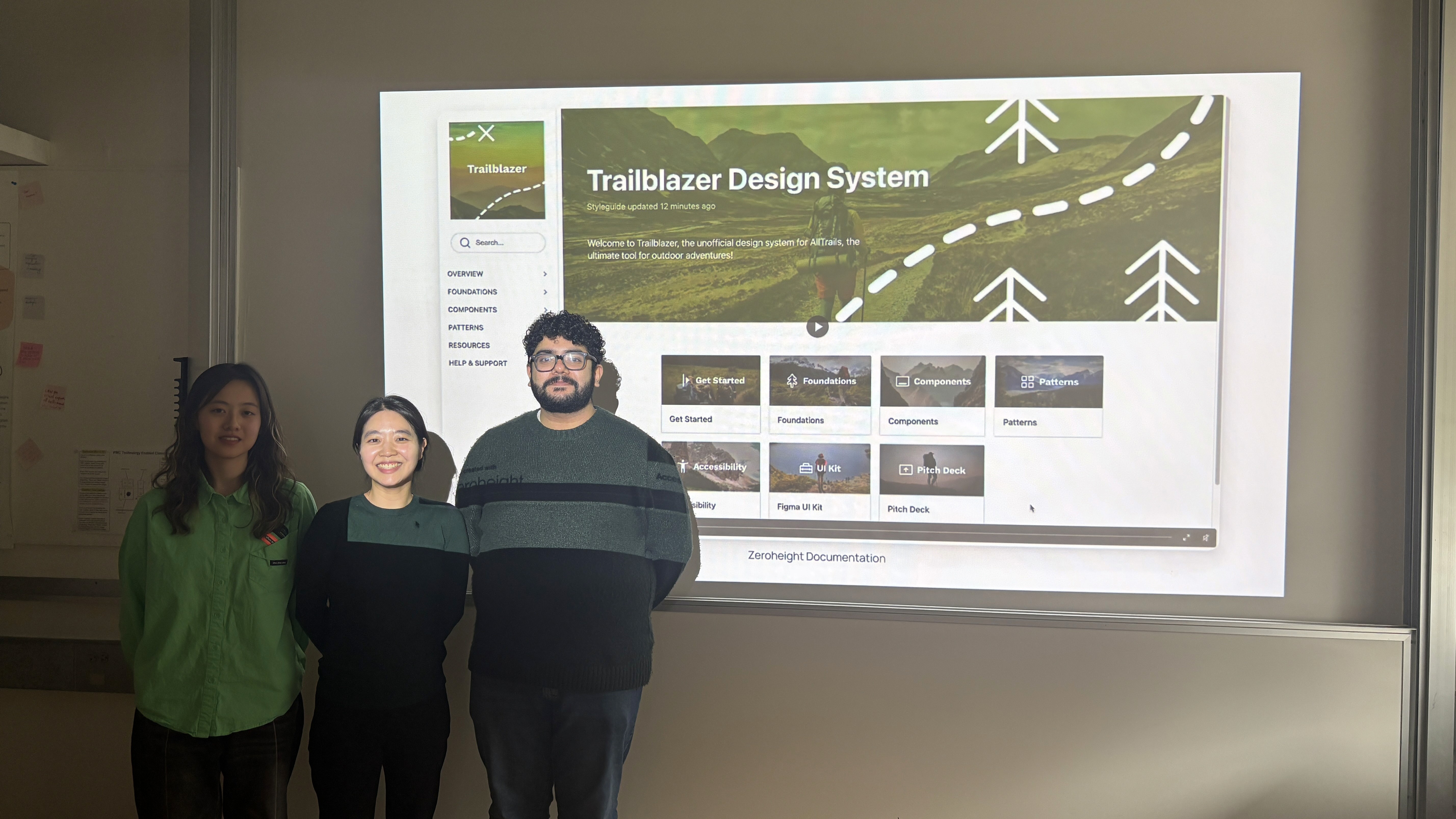
Team Trailblazer